 Expiry
Records, reminders, follow-ups
Remember it later.
A return window. A warranty. A renewal you will regret missing. Expiry keeps the date and the record you will need when you act on it.
- Return by
- Warranty until
- Renew on
- Expires
- Service due
- Follow up on
 iPhone in testing · coming soon
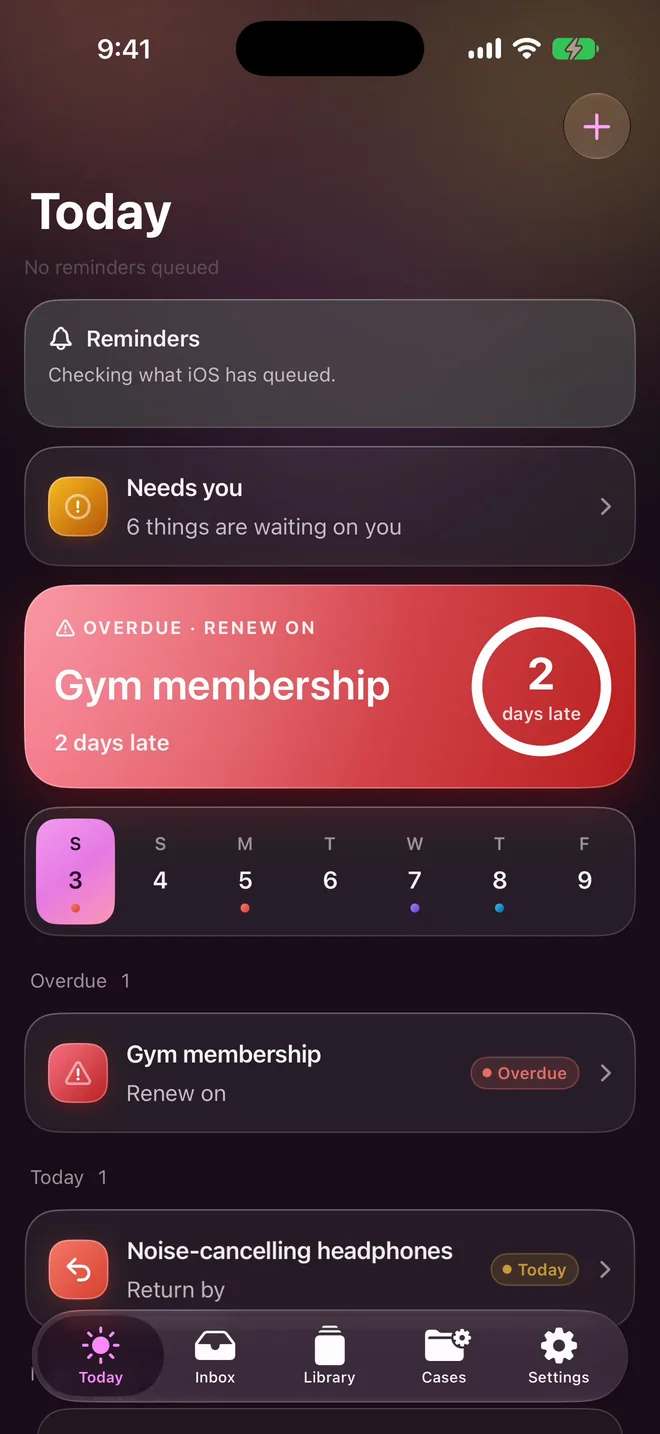
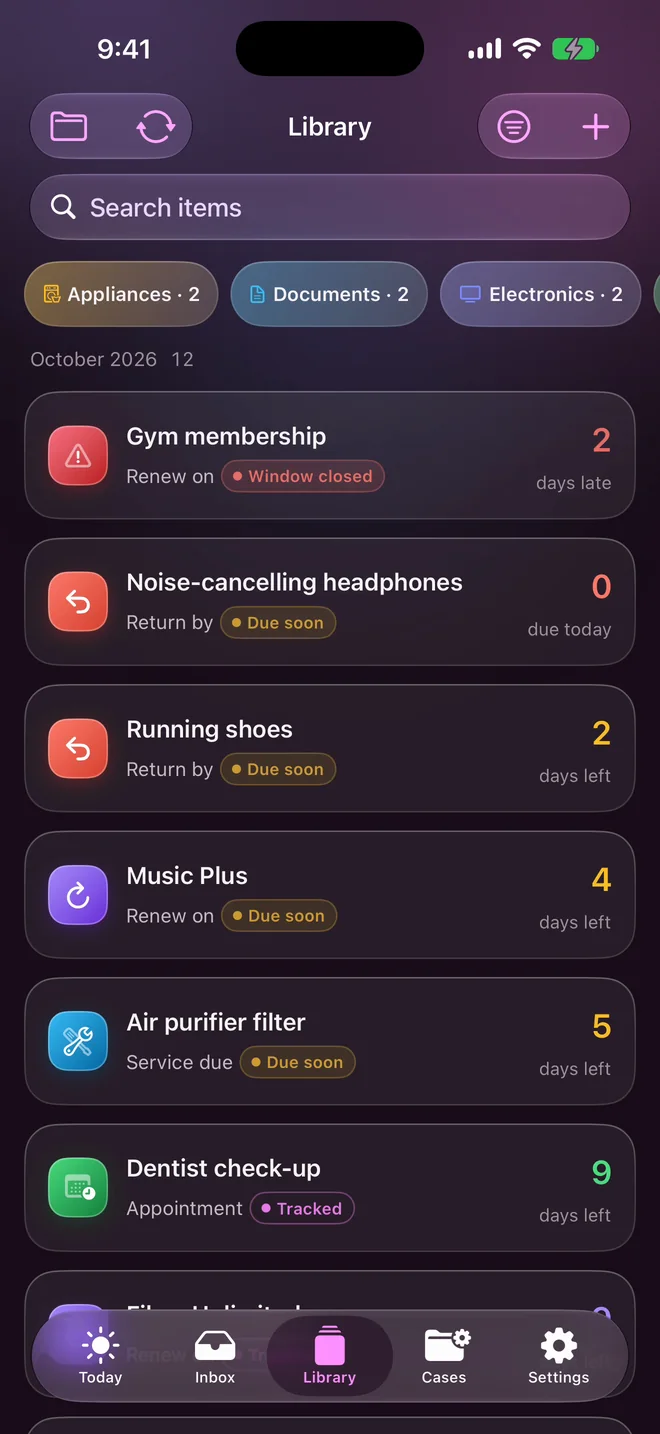
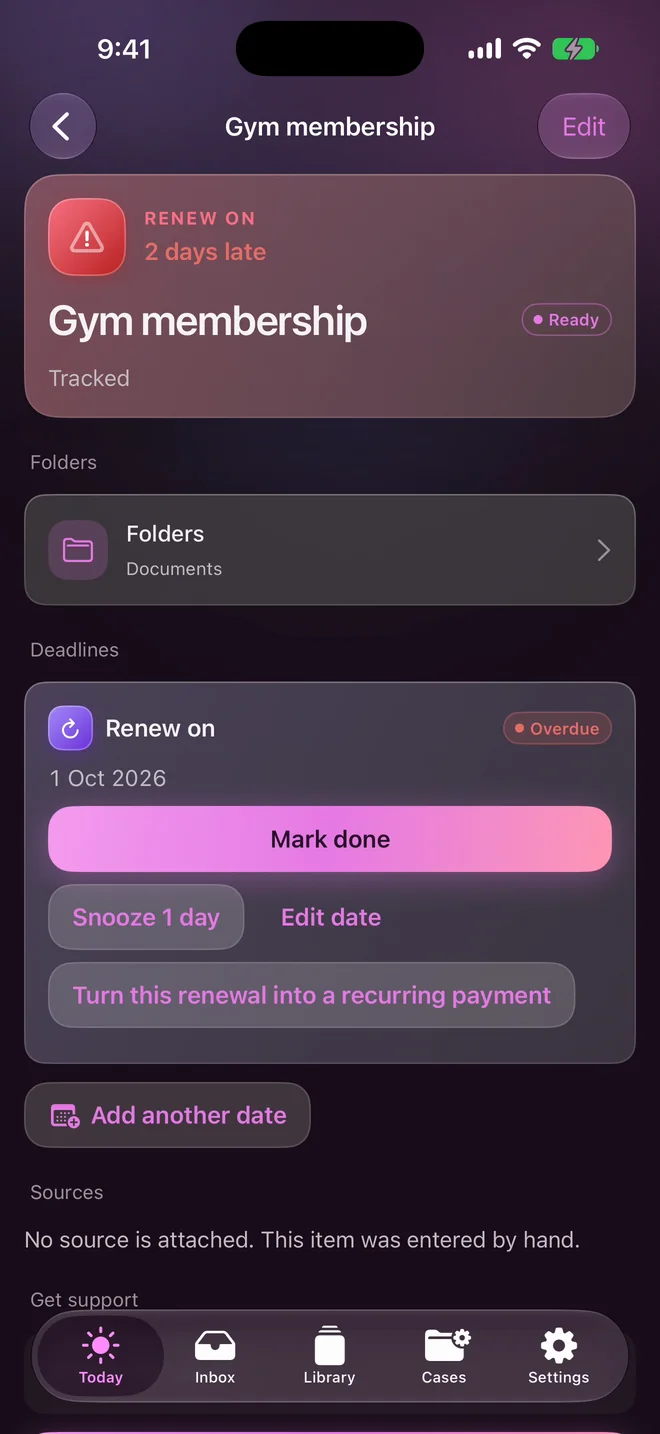
Every date wears its colour.
Returns are coral, warranties teal, renewals violet. You can tell what's coming before you read a word.
Today opens with the date that needs you most, and a ring that fills as it gets close. Seven days run across the top; each dot is a date, in its own colour.
Warranty cards, read.
Scan one and Expiry finds the purchase date and the warranty period, then works out the day the cover ends for you to check.
It offers the serial number and the date of purchase too, and keeps them with the item. A date of purchase never becomes a reminder.
12.03 means 12 March: when your iPhone writes the day first, as it does in India, Expiry reads a card's dates the same way, and shows you how it read them.
Share it in. It finds the date.
On iPhone, share a screenshot, a PDF, a photo or a saved email into Expiry from any app, or scan the paper. Text recognition runs on your iPhone.
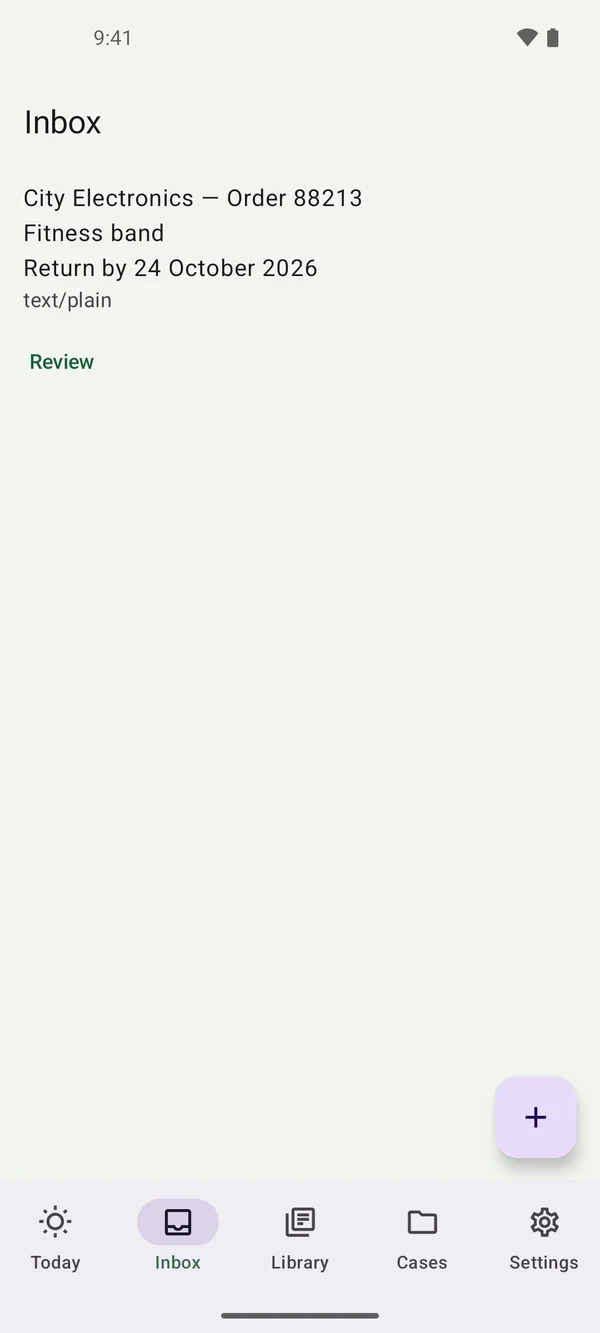
On Android, share an order or a message as text and Expiry finds the date in it; photos and PDFs are kept by name.
No date is saved until you confirm it.
Reminders that know their place.
Reminders arrive before each date you confirm. Mark it done or snooze it a day, right from the reminder. Quiet hours hold anything due overnight until the morning.
Item names stay off the Lock Screen unless you choose. If you never allow notifications, nothing breaks: Today still lists what is due.
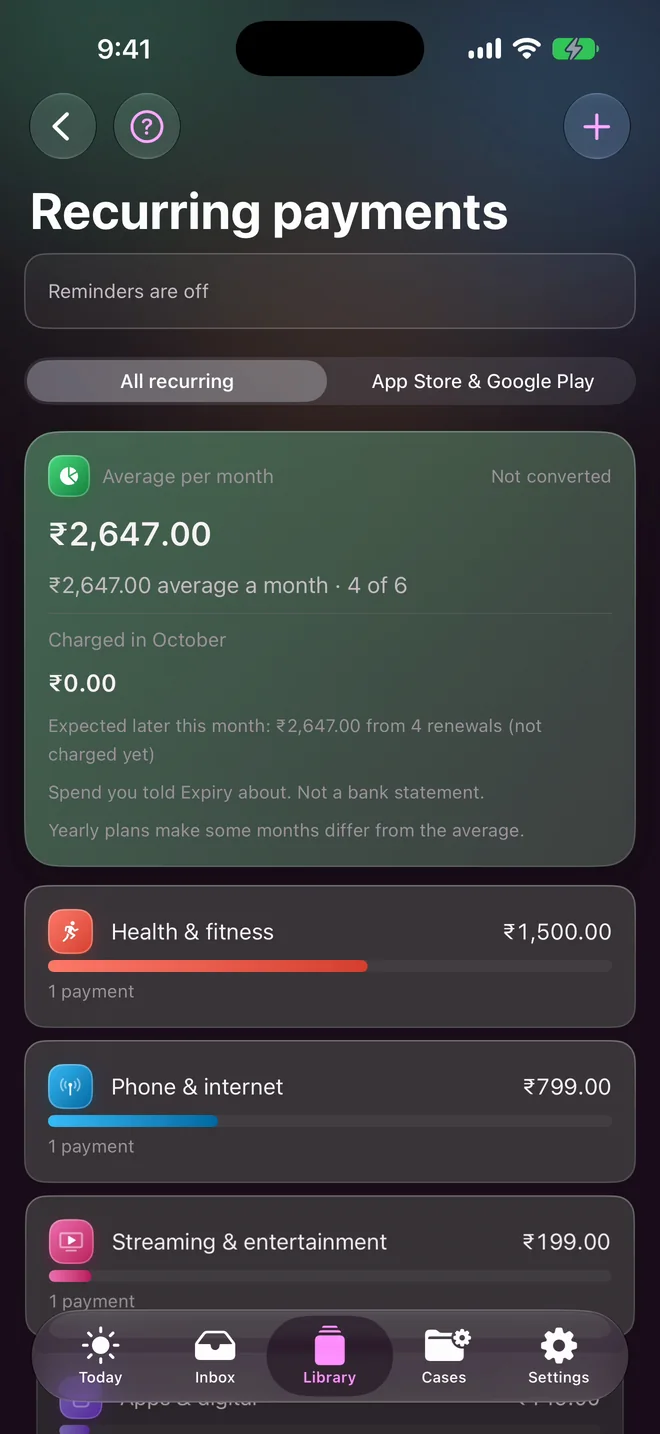
Recurring payments, counted.
Add the subscriptions and plans you pay for, see what they average each month by category and by currency, and get reminded before each renewal.
Expiry can't read Apple's or Google's list of your subscriptions. You add them, or open the store's own list and copy from it. It is spend you told Expiry about, not a bank statement.
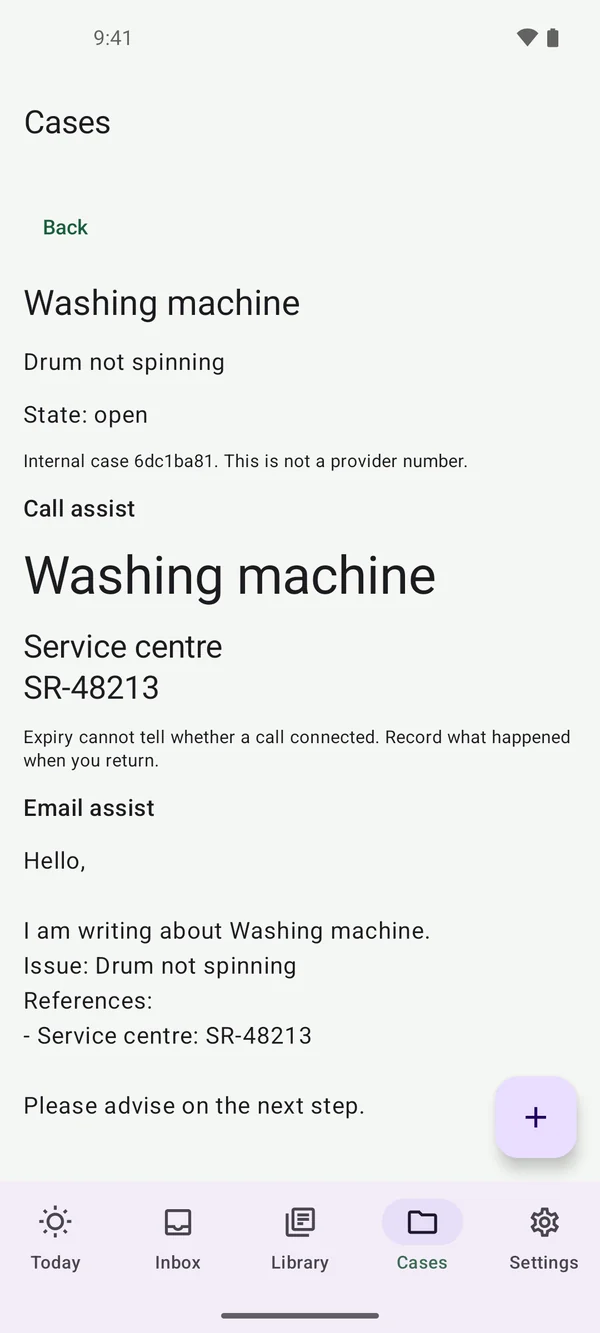
A claim, a refund, a repair.
Every item carries its own history, from the screenshot to the outcome. When something goes wrong, open a case on the item and Expiry keeps the thread together.
- Keep the service or complaint number to hand.
- Call, or let Expiry draft the email. You send it from your own mail app.
- Record what actually happened, so the outcome stays with the item.
Private by design.
Expiry has no account. Your records are kept in an encrypted file on your phone. Optional Expiry AI sends only the document text or record context you preview and choose to send. Big Helpers retains installation security records, usage counters and operational logs; turning AI off does not erase earlier records. Read the full privacy policy for processing, retention and deletion details.
No account, no tracking
No sign-in, no advertising, no analytics, no tracking and no remote crash reporting.
Read on your phone
Text in scans and photos is recognised on your iPhone. Core record and reminder workflows do not require Expiry AI.
Expiry AI, only if you ask
On iPhone, optional AI uses self-hosted Big Helpers AI. You preview the selected text or record context before sending it. No other AI provider is used. What is sent.
An encrypted copy in your iCloud
On iPhone, Expiry keeps an end-to-end encrypted copy of your records in your own iCloud, so a new iPhone can bring them back. Big Helpers cannot read it. Scanned pages stay on the phone.
Readable exports
Export a readable copy whenever you like. You choose where it goes.
Your Lock Screen, your call
On iPhone, reminders keep item names off the Lock Screen unless you choose. Widgets and Live Activities show item names only if you add them.
Expiry for Android in 30 seconds.
iPhone and Android, side by side.
Both apps keep your dates and records on your phone with no account. The iPhone app does more.
| Feature | iPhone (coming soon) | Android |
|---|---|---|
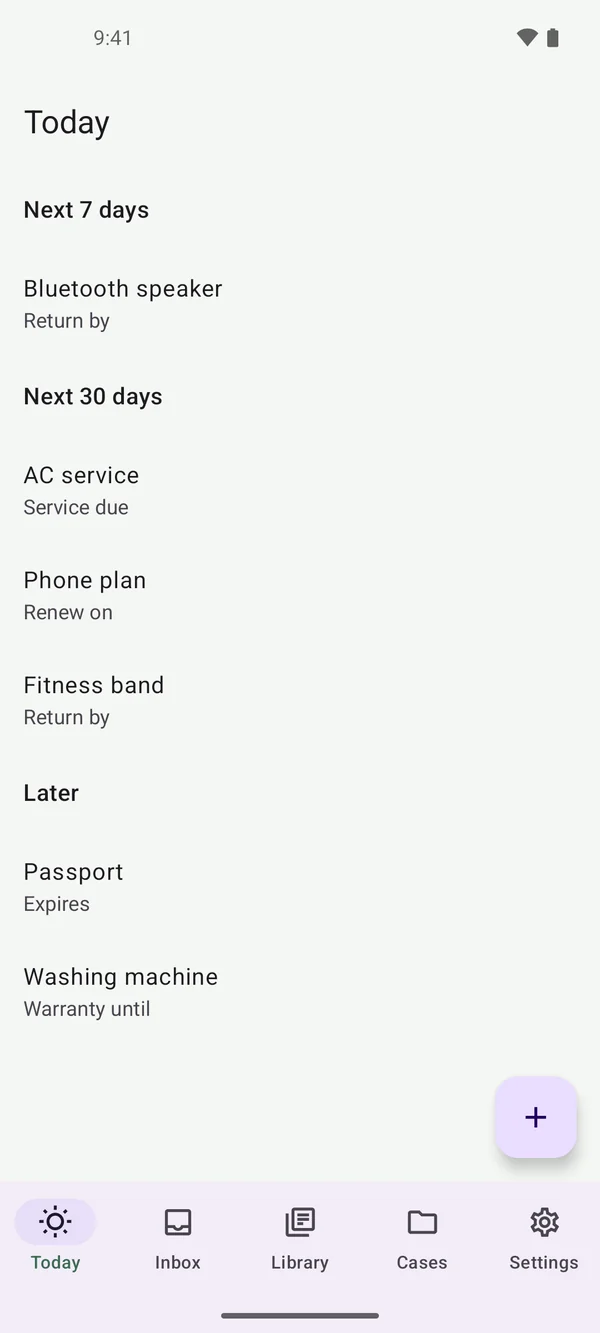
| Today: what is due, in order | Yes, colour-coded with a countdown ring | Yes, grouped by when it is due |
| Reminder notifications | Yes, with Mark done and Snooze | Not yet; dates are listed on Today |
| Share text in and confirm the date | Yes | Yes |
| Scan paper; read photos and PDFs on the phone | Yes | Kept by name only |
| Warranty cards: purchase date, period and serial number | Yes | No |
| Recurring payments | Yes | No |
| Folders | Yes | No |
| Search your records | Yes | Yes |
| Cases with call and email help | Yes | Yes |
| Widgets and Live Activities | Yes | No |
| Encrypted copy in your iCloud | Yes, end to end | No |
| Encrypted backup and restore | Yes | Readable export only |
| Read with Expiry AI (optional) | Yes | No |
| No account, no tracking | Yes | Yes |
Questions
Do I need an account?
No. Expiry has no account and nothing to sign in to. Your records stay on your phone, and on iPhone an encrypted copy lives in your own iCloud.
What happens if I change phones?
On iPhone, Expiry keeps an encrypted copy of your records in your own iCloud. Sign in to the same Apple Account on the new iPhone and Expiry asks before bringing them back. You can also make an encrypted backup with a recovery key. On Android, you can export a readable copy, which cannot be restored into the app. More in Support.
Does Expiry read my email?
No. Expiry never connects to your mailbox. On iPhone you can share a saved email into Expiry, and it reads that one message on your phone.
Is Expiry AI required?
No. It is an optional iPhone feature for hard-to-read documents, off until you turn it on. Everything else works on your phone. How it handles text.
When is the iPhone app coming?
The iPhone app is in testing now and is coming to the App Store. The Android app is on Google Play.
How do I get help?
Email admin@bighelpers.in or see the Support page.